One click.
Clipset takes your video clips and generates every possible combination as a separate file. No editing. No timelines. No cloud.
Available for macOS and Windows (beta). 1 license key—2 activations.
Generates 10,000+ ad combinations weekly
No subscription. No upload limits. No cloud. Your footage stays on your machine.
Record different hooks, bodies, and CTAs. Mix and match. Let data pick the winner.
10 × 5 × 3 = 150 Nobody should be exporting 150 videos from CapCut by hand.
Stop editing. Start generating. Drop your clips in, hit one button, get every combination as a separate file.
Three steps. That’s it.
Name them anything — Hook, Body, CTA, Intro, Outro, Testimonial. You define the structure.
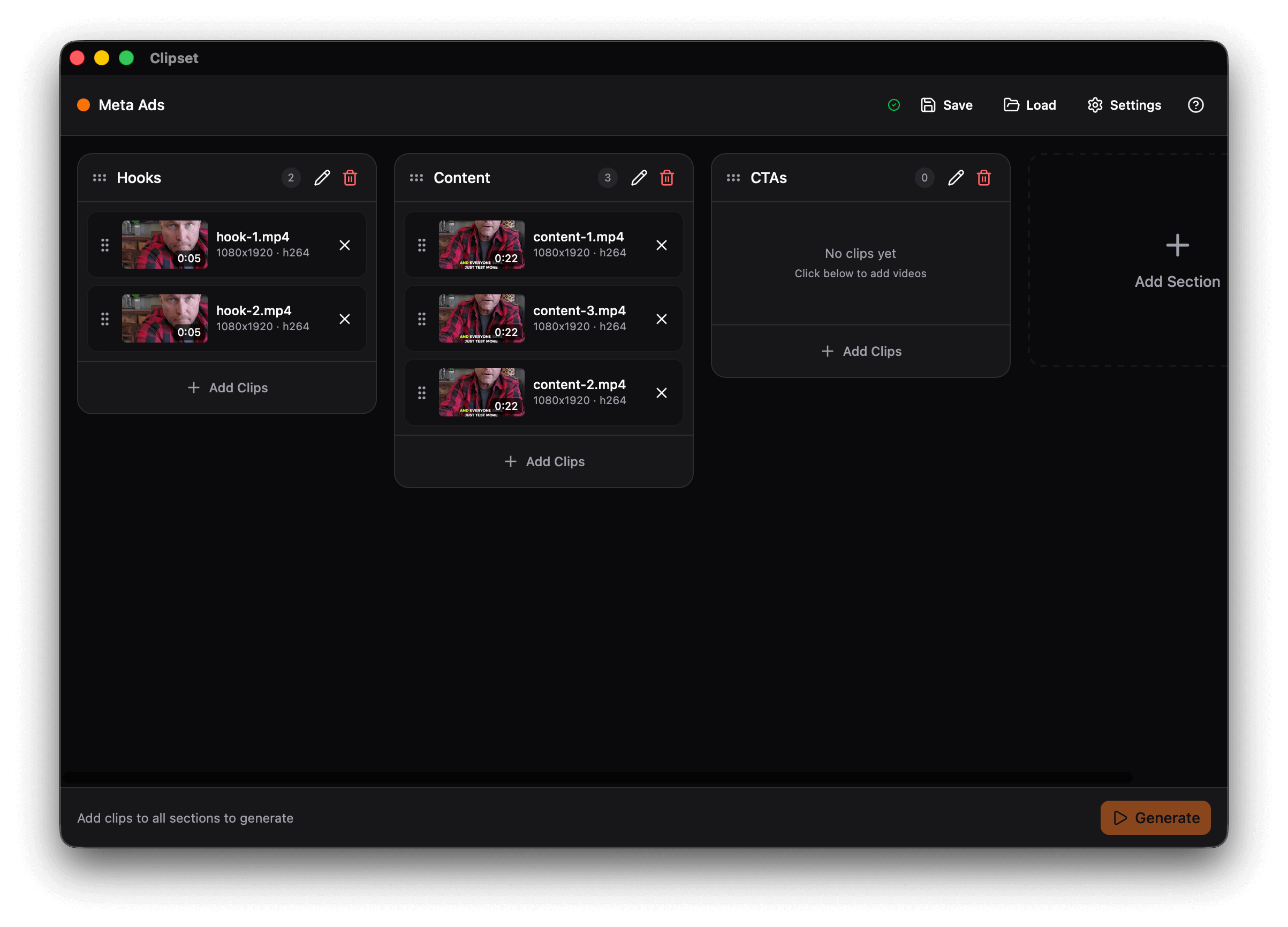
Drag video files into each section. See thumbnails, durations, and reorder with drag-and-drop.
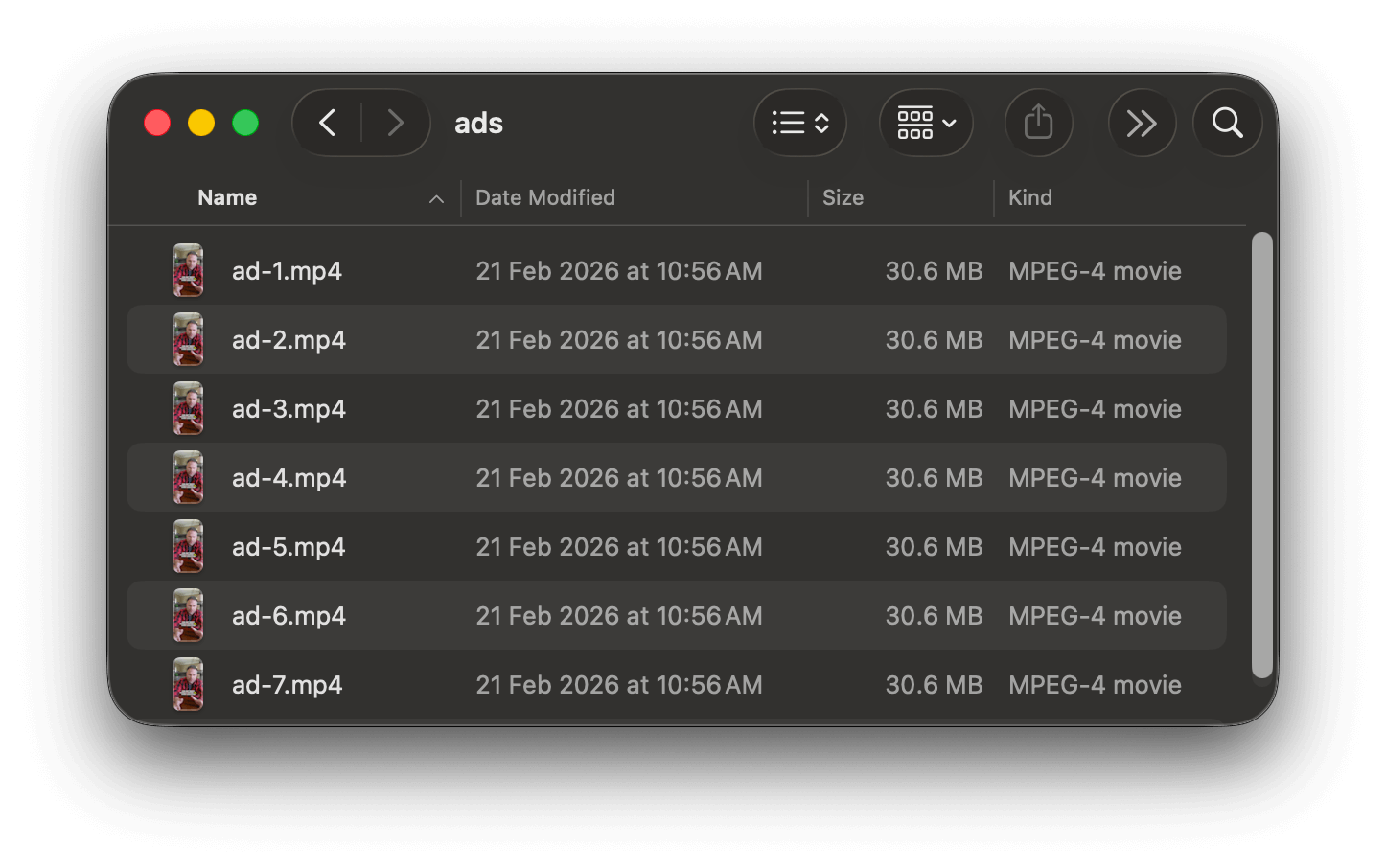
Clipset creates every possible combination automatically. 150 videos? Done in minutes, not days.
Hook → Body → CTA, or any structure you want. 2 sections, 7 sections — you decide.
Reorder sections, reorder clips. Rename anything inline.
Add one track that plays under all generated videos. Set volume, fade out, loop behavior.
Match the first clip or set a custom size. Handles mixed formats automatically.
Every combination exported as a spreadsheet. Filename, clips used, duration. Ready for campaign tracking.
Save and reload your projects. Pick up where you left off.
Parallel processing across your CPU cores. Your machine does the work, not some server.
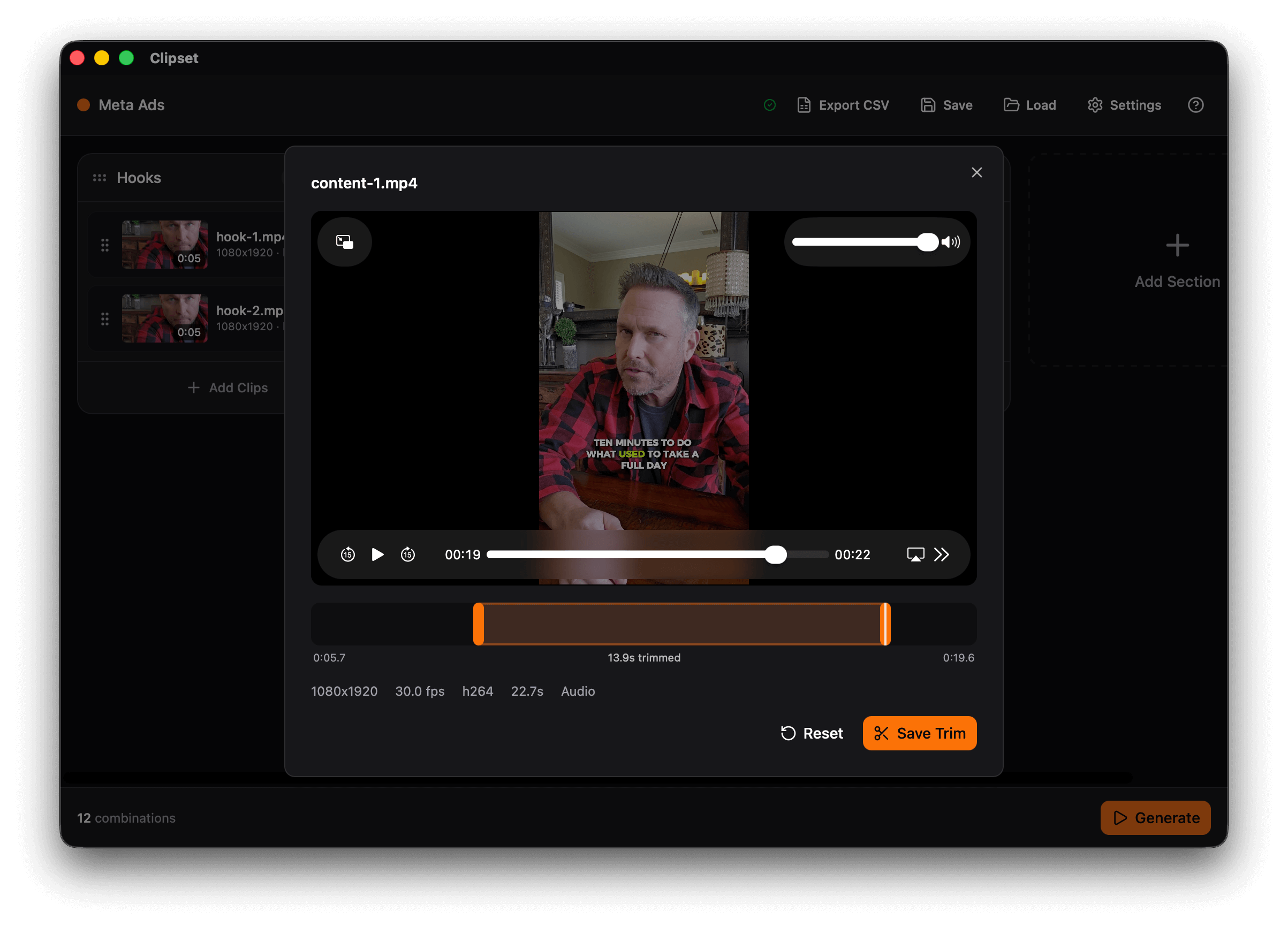
Trim any clip right inside Clipset. Cut the start or end without leaving the app.
| CapCut / Premiere | Sovran | Clipset | |
|---|---|---|---|
| Price | Free / $23/mo | $79–$319/mo | $49 once |
| 150 video combos | ~25 hours manual | Capped at 50–150/mo | Unlimited |
| Your footage | On your machine | Uploaded to their servers | Never leaves your machine |
| Internet required | No | Yes | No |
| Monthly render limits | N/A | 50–300/month | None |
| Annual cost | $0–$276 | $948–$3,828 | $49 total |
Record 15 hooks, 5 explanations, 3 CTAs. Generate 225 Shorts. Upload to Google Ads. Let the algorithm find the winner.
Mix different creators, different scripts, different CTAs. Find the combo that converts — without editing 200 videos by hand.
Same body content, different language hooks, different CTAs. Generate every localized version in one batch.
Build once for a client. Swap in new hooks next month. Re-generate. Fresh creative in minutes.
“I built Clipset because I needed it myself. I was running YouTube Shorts ads for my app. The Hormozi method is clear: record lots of hooks, lots of bodies, a few CTAs, and test every combination.
Simple in theory. In practice? I was spending entire weekends in CapCut stitching together the same clips in different orders. 10 hooks × 5 bodies × 3 CTAs = 150 videos. By hand. Every time.
Sovran exists, but it’s $79/month minimum and caps your renders. I’m an engineer. This is a combinatorics problem. It shouldn’t cost $1,000 a year.
So I built Clipset. Now I generate 150+ ad variations in minutes instead of days. It runs on my Mac. My footage never touches a server. And I never have to pay monthly for something my laptop can do locally.
Lifetime license
That’s less than one month of Sovran. Launch price won’t last.
Available for macOS and Windows (beta). 1 license key, 2 activations—use on 2 devices. No subscription. No render caps. No uploading your footage to someone else’s server.
150 ad variations in minutes. Not days. Not weekends. Minutes.
Available for macOS and Windows (beta). 1 license key—2 activations. 30-day money-back guarantee.
 Clipset